
What a SketchUp Pro download gives you
SketchUp Pro is the professional desktop workflow in the SketchUp product family. The installer provides the desktop application, while access is controlled by the subscription, trial or eligible account connected to your Trimble ID. Downloading the EXE or DMG alone does not unlock Pro and should not be confused with an activation key.
Use the official trial when you need to determine whether desktop modeling, LayOut documentation, supported import/export formats and extension workflows justify a paid plan. If your needs are limited to personal browser modeling, the SketchUp Free option may solve the problem without a Pro installation.
How to evaluate SketchUp Pro
Begin on the official trial page because it shows the current offer, included products and account terms. Create or use a Trimble ID you can retain after the evaluation. Download the current installer for the correct operating system, complete the normal installation and sign in. If the account is managed by an organization, the administrator may need to assign product access first.
A useful evaluation should mirror actual work. Import a representative CAD file, build or edit a model with the geometry size you normally handle, create scenes, produce a LayOut document and export a deliverable. Install only the extensions you truly depend on and verify that their developers list compatibility with SketchUp 2026.
- Confirm the trial terms on the official page.
- Test real files instead of only a sample cube.
- Measure renderer and extension compatibility.
- Review collaboration, storage and documentation needs.
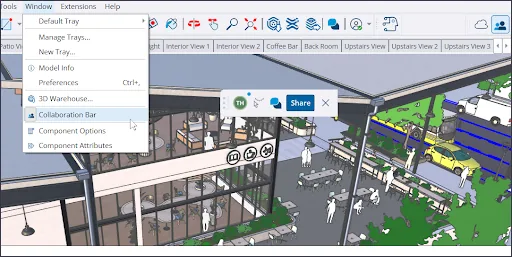
Install and activate SketchUp Pro correctly
The Windows and macOS packages are the same current installers used for eligible desktop access. Run the installer through normal operating-system security prompts, then launch SketchUp and sign in. Modern SketchUp licensing is account-based; a copied serial number, patch executable or modified host file is not part of the legitimate activation process.
If sign-in succeeds but Pro access does not appear, check that the correct Trimble ID is being used and that the subscription seat has been assigned. Organization administrators should review the account management tools rather than reinstalling repeatedly. Network restrictions, incorrect system time and blocked sign-in services can also cause authorization problems.
- Use the installer for your operating system.
- Sign in with the account that owns or was assigned access.
- Check organization seat assignment when activation is missing.
- Use official account support instead of third-party activators.
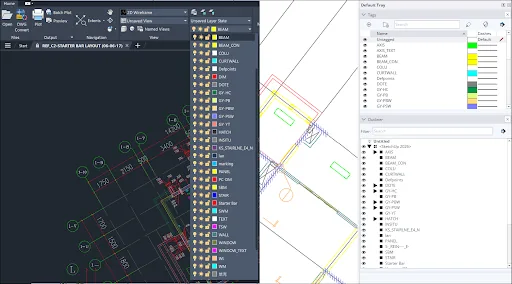
Pro, Studio and Free are different choices
SketchUp plan names represent different feature and service bundles. Pro centers on professional desktop modeling and documentation. Studio can include additional workflow capabilities depending on the current regional offering. SketchUp Free is the personal browser product. Prices, included services and availability can change, so use the official plan page for a purchasing decision.
Do not choose a plan only because a download site labels one installer as Pro or Studio. The installer does not determine the account entitlement by itself. Start from the project requirements: desktop extensions, LayOut, interoperability, rendering, collaboration and commercial use. Then compare the official plan details displayed for your market.
- Free: browser-based personal modeling.
- Pro: professional desktop modeling and documentation.
- Studio: broader professional bundle where offered.
- Trial: temporary evaluation, not a permanent free license.
SketchUp Pro download checklist for teams
Use this SketchUp Pro download checklist before deploying the desktop application to multiple computers. Confirm the current supported release, the required operating system, graphics-driver policy, account ownership and the extensions used by every role. The current Windows package is approximately 1.09 GB and the macOS package is approximately 1.49 GB based on official CDN headers checked on July 16, 2026.
A team SketchUp Pro download plan should identify who assigns subscription seats and who supports sign-in. Use named organizational accounts according to company policy rather than sharing one personal login. Record the download date, installer build number, deployment date and download source URL so support staff can distinguish a current official package from an older local copy.
Complete a pilot download and installation before the wider rollout. Test a model, LayOut document, required renderer, import and export formats, templates, fonts and shared components. If the pilot fails, keep the previous supported version while the extension developer or administrator resolves the issue. This SketchUp Pro download checklist reduces downtime without implying that an older version should remain indefinitely.
- Verify the official trial or subscription entitlement.
- Record the installer build, size and first-party source.
- Assign account seats before users attempt activation.
- Pilot critical extensions and project formats before rollout.
SketchUp Free vs Pro vs Studio
Use this as a workflow guide and confirm current commercial terms on SketchUp's plan page.
| Product | Primary platform | Typical fit | Desktop extensions | Access |
|---|---|---|---|---|
| SketchUp Free | Web | Personal learning and simple models | No desktop extension workflow | Free personal plan |
| SketchUp Pro | Desktop plus connected services | Professional modeling and documentation | Yes, subject to compatibility | Paid plan or trial |
| SketchUp Studio | Professional bundle | Expanded visualization and analysis workflows | Depends on included desktop products | Paid plan where available |
SketchUp Pro download FAQ
Can I download SketchUp Pro for free?
You can evaluate Pro through the official trial when eligible. Continued use requires a qualifying subscription or other entitlement.
Does the SketchUp Pro installer include a license?
No. The installer installs the application. Access is associated with the Trimble account and plan used to sign in.
What is the latest SketchUp Pro version?
SketchUp 2026 is the current major release, and the official download page linked to 2026.2 installers when checked on July 16, 2026.
Can I use SketchUp Pro plugins?
Desktop SketchUp supports extensions, but each extension must be compatible with your release and licensed according to its developer's terms.
What happens when the Pro trial ends?
Follow the terms shown by SketchUp. You can purchase an appropriate plan or use a legitimate alternative such as SketchUp Free for Web if its feature set is enough.
Why does Pro not activate after installation?
Common causes include using the wrong Trimble ID, an unassigned organization seat or blocked account services. Review account assignment and official support guidance.
Official sources checked
We verify download and support details against first-party SketchUp and Trimble pages. External sources open in a new tab.
- Try SketchUp — official trial route and current terms
- Downloading SketchUp — current desktop installers
- SketchUp subscriptions — account and subscription guidance